Costwright · by Greenshift Digital
Every dollar. Every commitment. Always under control.
From project documents to cost control. One environment.
Costwright carries the whole commercial workflow: parse the BOQ, extract the documents, reconcile the payment chain, track the claims, forecast the final cost. All of it on the same data, current as every commitment lands.
The pattern
Documents in. Cost control out.
Costwright is Greenshift's agentic AI applied to construction cost. Agents extract the documents, reconcile the payment chain, and keep the Forecast Final Cost live as commitments change — the position on screen is the position today.
Documents in
BOQs, invoices, quotations, claims and delivery orders as they arrive.
AI structuring
Extracted, cost-coded and reconciled against budgets and commitments.
Cost control out
Live Forecast Final Cost, reconciled ledgers, claims and reports.
One connected environment
Five workbooks of work. One environment.
Commercial control traditionally spans an estimating spreadsheet, a filing system fed by manual data entry, a reconciliation workbook, a claims tracker and a month-end reporting pack — with the numbers re-typed at every hand-off. Costwright compresses that chain into one connected environment: the budget, the ledger, the claims and the forecast draw on the same underlying data, and stay consistent when the data changes.
Replaces · Estimating spreadsheet
BOQ and budgets
Excel and CSV BOQs parsed into a package hierarchy, with commitments controlled against budget.
Replaces · Manual data entry
Document intelligence
Invoices, quotations and delivery orders extracted by AI, cost-coded, and posted after one-click review.
Replaces · Reconciliation workbook
Reconciliation engine
Contracts, claims, certificates and payments auto-matched, with exceptions scored and duplicates flagged.
Replaces · Claims tracker
Claims and variations
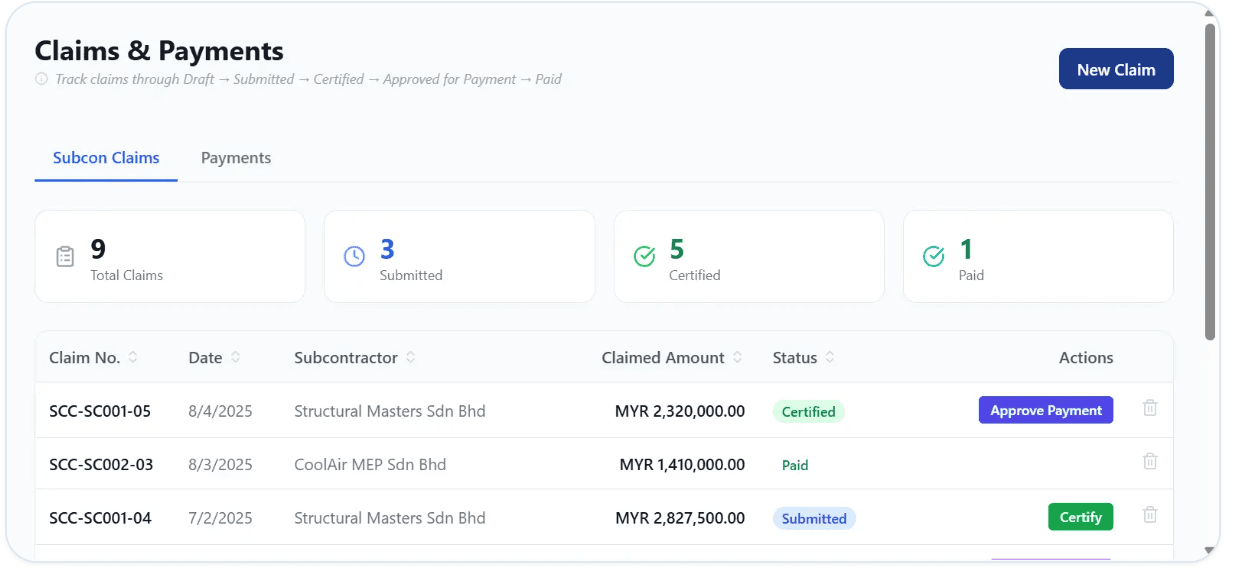
The full lifecycle — draft, submitted, certified, approved, paid — with a variation register alongside.
Replaces · Month-end workbook
Live forecast
Forecast Final Cost recalculated as commitments change, with cost variance and alerts, not month-end surprises.
The result
One cost spine
Post a document and the budget, commitments, forecast and reports move together. Nothing is re-typed, so nothing drifts.
In the product
The whole chain, on screen
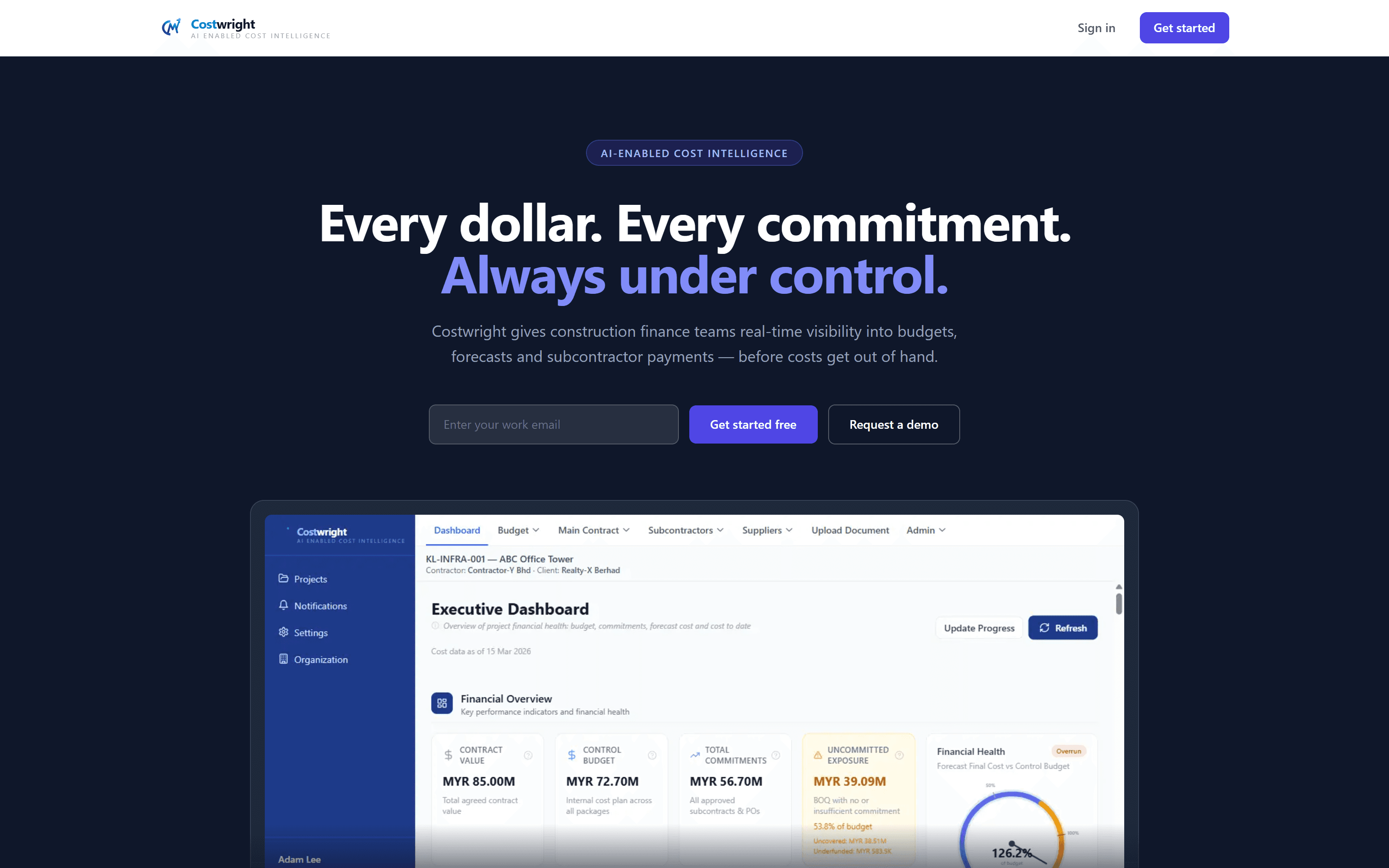
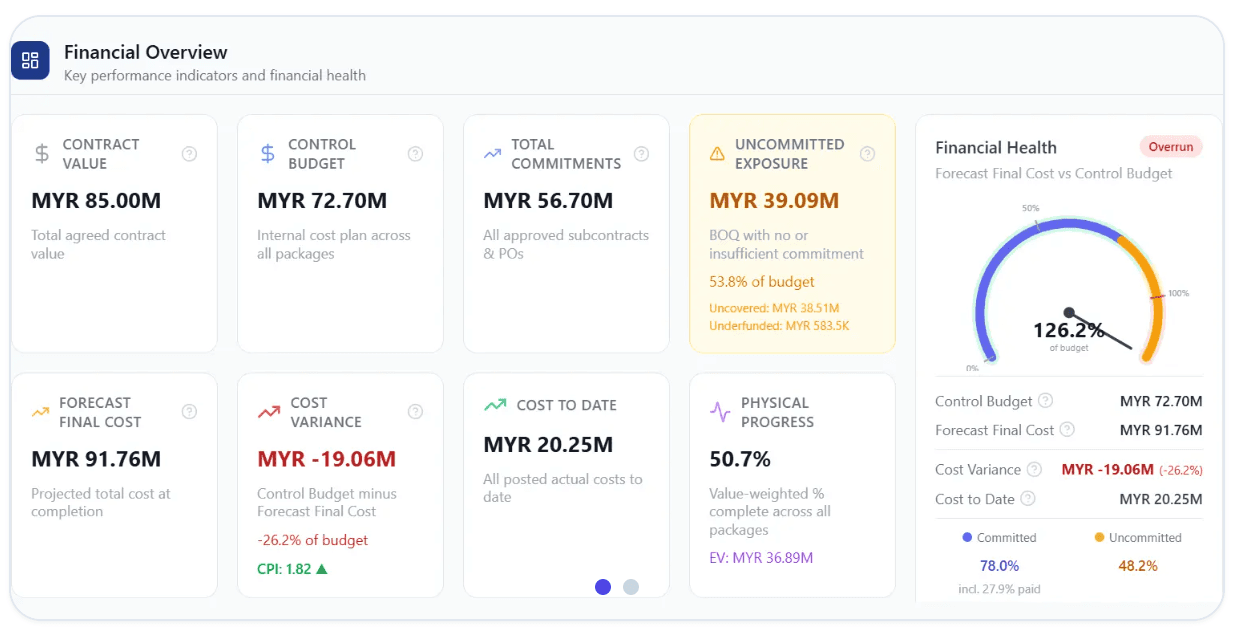
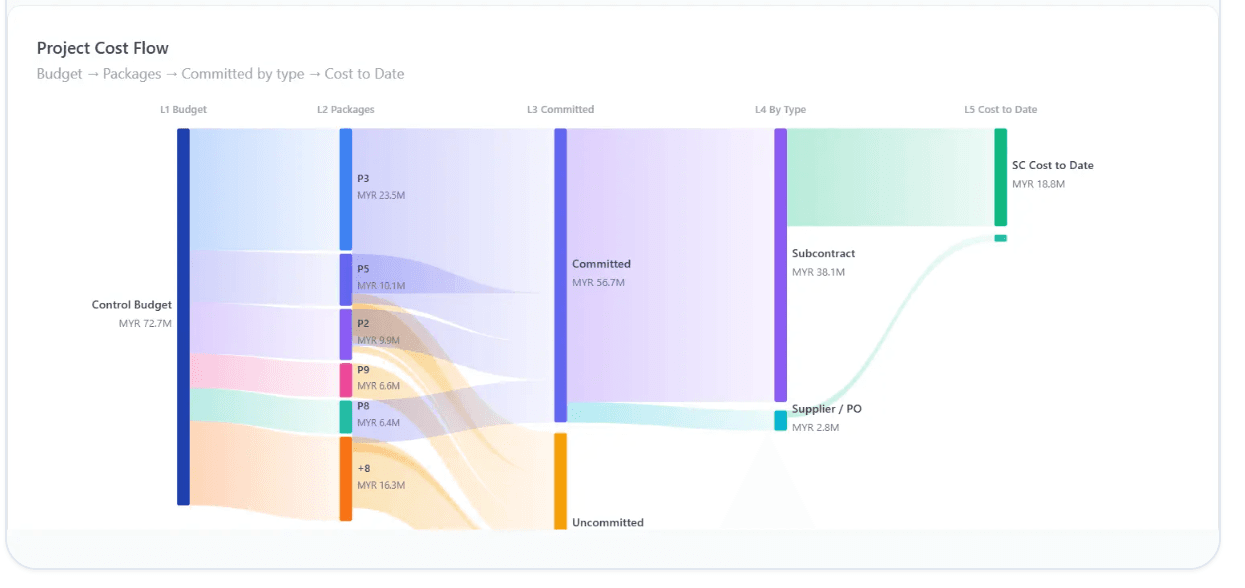
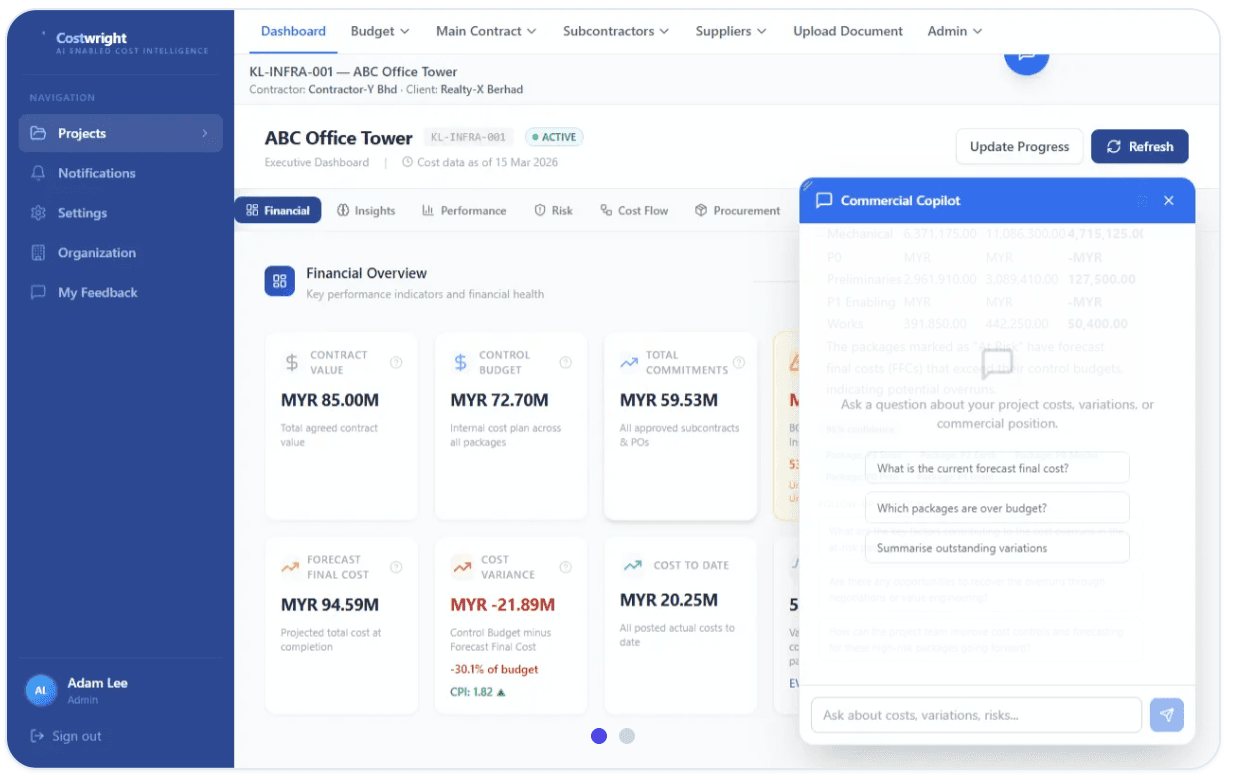
The dashboard, the cost flow and the copilot share one project. Post a document, watch the forecast move, ask the numbers a question.
Capabilities
Eight ways to stay ahead of the number
Forecasting
Live Forecast Final Cost — commitments plus uncommitted exposure — on a gauge that moves as commitments change.
- Real-time FFC needle on a live budget gauge
- Underrun and overrun status at a glance
- Cost variance tracked automatically, with alerts
Trust
Built for contractors, QS teams and construction finance teams, not enterprise procurement. One live view of cost for everyone from QS to project manager to finance. AI extracts and proposes; people review, approve and post — and every posting carries an audit trail.
Questions
What finance teams ask first
What documents can Costwright read?
BOQs as Excel or CSV, plus invoices, quotations, delivery orders and claims. AI extracts vendor, amounts, line items and reference numbers, then proposes the cost coding for review.
How is Forecast Final Cost calculated?
Total commitments plus uncommitted exposure, recalculated in real time, so the gauge is never a month out of date.
Does it replace my accounting system?
No — it feeds it. Costwright controls cost at project level and produces export-ready journal entries for your accounting system.
Does AI post costs on its own?
No. The AI extracts and proposes; a person reviews and posts. Approval chains and the audit trail record who approved what.
Do we need to replace our current tools?
No. Costwright gives QS, PM and finance one live view of cost. Bring your documents and it does the structuring.
Who can see our project data?
Your team. Your cost data stays yours, with documented methods you can audit.